Strategy
50 ChatGPT prompts for MSP marketing (and when to use a tool instead)
Copy 50 practical ChatGPT prompts for MSP marketing, with a reusable context block, privacy rules and guidance on when a marketing tool saves time.
Will Undrell19 min read
Share
These 50 ChatGPT prompts for MSP marketing cover newsletters, LinkedIn posts, sales emails, case studies, website copy, QBRs and campaign planning. Copy the context block below into ChatGPT first, then paste in a prompt and replace every bracketed field.
A prompt without your context gets the category average. ChatGPT doesn't know which services you deliver, what your clients call them, or which customer results you have permission to discuss. It will fill those gaps with plausible-sounding generalities. Give it those facts first and you'll spend less time editing vague copy.
We saw this on 11 November 2026, when we asked ChatGPT for content marketing ideas for an MSP. It told the MSP to market "reduced downtime, better security, predictable IT costs and peace of mind", then suggested headlines such as "7 signs your business is vulnerable to a cyberattack" and "Is your business ready to move to the cloud?". None of it is wrong, and every MSP in the country could publish it. The context block below is what turns that list into ideas only you can use.
What should you give ChatGPT before any prompt?
Write a short context block about your business once and keep it where you can find it. Paste it before any prompt, then add the facts for that job. Use the service names your clients use, and include only outcomes you can prove and have permission to share.
Who we are: [MSP name, size, location, and a plain-English description of the business]
Services in the words our clients use: [For example, managed IT support, Microsoft 365 support, cyber security, cloud services]
Sectors and region: [Sectors served and towns, counties or UK regions covered]
Who we write for: [The buyer or client role, what they care about and what they already know]
Three client outcomes we are allowed to use:
1. [Proven outcome, with the number and evidence we can show]
2. [Proven outcome, with the number and evidence we can show]
3. [Proven outcome, with the number and evidence we can show]
Writing rules: Use UK spelling. Do not say "peace of mind". Sign from [named person and role]. Never invent facts, statistics or quotes. If evidence is missing, mark the gap or leave the claim out.
For example: Who we are: [Your MSP], a 12-person MSP in Exeter that looks after managed IT and cyber security for local firms. Keep your own block short enough to reuse, and change it when your services, audience or permissions change.
Which ChatGPT prompts work for MSP client newsletters?
A newsletter doesn't need to turn every service into a sales pitch. Give clients something useful to discuss with their account manager. Prompts 3, 4 and 6 already carry their source links, so you can paste them as they are.
- Draft a client newsletter for [month] for [client type]. Include one practical point about [topic], one service update about [service], and a clear next step. Use these facts: [facts]. Keep it under [word count] words and sign it from [person].
- Turn these anonymised themes from last month's support tickets into a newsletter item about [recurring issue]. Leave out ticket text, names and any detail that could identify a client. Give one useful action and one way to ask us for help: [themes].
- Write a newsletter explaining the BT PSTN switch-off to [client type]. The supplied source says the PSTN network will be retired by 31 January 2027: Openreach's PSTN switch-off notice. Explain what the reader should check with us, and do not imply we know their phone system setup.
- Write a client update about Windows 10 ESU year 2 ending on 12 October 2027. Use this supplied Microsoft source: Microsoft's ESU lifecycle FAQ. Ask readers to contact [named person/team] to check their own devices. Do not claim that any client's devices are affected.
- Turn this service change into a short newsletter: [what is changing, when, who it affects, action required]. Separate confirmed details from anything still unknown. If the action is unclear, ask me instead of guessing.
- Create a newsletter item about phishing for [client type], using only this supplied statistic and source: 38% of UK businesses reported a phishing attack in the last 12 months, according to the UK Cyber Security Breaches Survey 2025/2026. Explain one sensible staff action without implying that the figure predicts this reader's risk.
- Edit this draft newsletter for clarity and UK spelling. Keep every factual claim and the named sender unchanged, flag any statement without support, and suggest a subject line that describes what the issue contains: [draft].
- Give me four subject lines for this update: [summary]. Keep them specific and free of scare tactics, with no promise or deadline that is not in the summary.
Which prompts write LinkedIn posts that sound like your MSP?
LinkedIn copy needs a point of view your engineers and account managers would recognise. Use a real question, service experience or an observation you can stand behind. Don't turn a routine support issue into a customer story that never happened.
- Write a LinkedIn post for [role] at [MSP] about [specific customer problem]. Use this insight: [insight]. Explain what it costs the business in plain English, then invite readers to [next step].
- Turn this anonymised pattern from our service desk into a LinkedIn post: [pattern, with no identifying details]. Explain why it matters to an SMB and give one practical check. Do not quote a ticket or suggest that one case stands for every client.
- Draft a post about the PSTN switch-off for UK businesses. State that Openreach says the PSTN network will be retired by 31 January 2027 Openreach's PSTN switch-off notice. Tell readers to check their own phone and alarm dependencies with their provider; do not claim we have checked them.
- Write a LinkedIn post about Windows 10 ESU year 2 ending on 12 October 2027, using Microsoft's ESU lifecycle FAQ. Explain the decision a business should discuss with its IT provider, without suggesting every device has the same upgrade path.
- Draft a post explaining one part of Cyber Essentials: [specific requirement and its source]. Address an SMB owner who is unsure where to start. Do not claim certification guarantees security or that our MSP is an assessor unless I confirm that fact.
- Use this explanation of phishing to write a LinkedIn post for [sector]: [explanation]. If you include the UK survey figure that 38% of UK businesses reported a phishing attack in 2025/2026, link the source, the UK Cyber Security Breaches Survey 2025/2026, and label it as a UK-wide finding.
- Turn this engineer's approved advice into a short LinkedIn post in the engineer's voice: [advice, and the engineer's name and role as they agreed them]. Keep the technical point accurate, remove jargon an SMB owner would not use, and do not add credentials or personal details.
- Review these three draft posts for repetition and unsupported claims: [drafts]. Suggest one edit per post. Preserve our service names and writing rules, and flag any line that needs technical or legal approval before publishing.
Which prompts write MSP sales, renewal and QBR emails?
An email after a meeting should refer to what happened in that meeting. A renewal email should name the decision and date only when you supply them.
- Write a follow-up email after our meeting with [prospect role, or company if we may name them]. The agreed points were [notes]. Summarise the next step, name its owner and date, and avoid adding commitments we did not make.
- Draft a renewal email for [service/licence] renewing on [date]. The confirmed options and prices are [details]. Ask the client to confirm [decision] by [date], and flag any missing term instead of filling it in.
- Write an email inviting [client role] to a QBR on [date]. Mention these topics: [topics]. Ask them to bring [information]. Keep the tone practical and do not claim to have reviewed their account data unless I provide it.
- Draft a customer email about a licence true-up. Use only these confirmed seat counts, dates and terms: [details]. Explain what needs checking and who will follow up. If the figures do not reconcile, list the discrepancy rather than choosing a number.
- Write a short email to a client who raised [issue] with our service desk. Use this update: [status and next action]. Do not promise a fix time unless supplied.
- Draft an email to [prospect type] about [service] after [event or referral]. Use this specific reason for contacting them: [context]. Offer one useful next step and keep the message focused on their situation, not our full service catalogue.
- Create a three-email sequence for [audience] about [service or campaign]. Email one introduces [problem], email two shares [evidence], and email three invites [next action]. Use these facts: [facts]. Give each email a distinct purpose.
- Write a reply to this anonymised objection: "[objection]". Answer using these facts about our service: [facts]. Keep the reply respectful, acknowledge what we cannot confirm, and suggest a next step without making a guarantee.
Which prompts turn real evidence into a case study?
Case studies are where a polished draft can do the most damage. The prompts below tell ChatGPT to use only what you paste, mark the gaps and never manufacture outcomes, numbers or quotations. Don't put names or confidential source material into a personal account.
- Draft a case study using only the facts pasted below. Leave missing details marked [GAP: information needed]. Do not invent a client, quote, timeline, result, number or technical detail. Source facts: [approved facts].
- Read these project notes and list the five questions a sceptical finance director would ask about this case study. Show which questions the notes answer and which they leave open: [notes].
- Create a case study interview question list for a client who has agreed to take part. Ask about the situation before the work, what we did and what changed. Do not write answers or assume an outcome. Project details we can discuss: [approved details].
- Edit this case study draft against the approved evidence below. Use only facts pasted here, mark unsupported or missing points [GAP: verify], and do not invent results, numbers, dates or quotes. Draft: [draft]. Evidence: [approved evidence].
- Write a short case study summary for sales using only these approved case-study facts. Keep customer identity as [approved name or anonymised description]. If the evidence does not support a result, leave the result out and mark the missing proof [GAP: evidence needed]: [facts].
- Turn this approved case study into a LinkedIn post and email paragraph. Use only the pasted facts and approved wording. Leave any absent detail marked [GAP: information needed], and do not invent a quote, statistic, customer reaction or result: [approved case study].
Which prompts write MSP website copy?
A website page should help a buyer decide whether to talk to you. Give ChatGPT the actual service boundaries, target reader and evidence. Search-friendly copy that promises work your team doesn't do creates the wrong conversation.
- Draft a service page for [service name as clients use it], aimed at [buyer and sector]. Explain the problem, what our team does, what is included and what is outside scope, using only these facts: [service details]. Mark missing information [GAP].
- Create an outline for a page targeting "[search phrase]" in [region]. The page is for [audience] and must answer [buyer questions]. Use these service facts and proof points: [facts]. Do not claim a ranking or search-volume figure.
- Write a landing page for [campaign or offer] aimed at [audience]. The offer is [confirmed details], the evidence is [proof], and the next step is [action]. Do not add a discount, guarantee, deadline or feature I have not supplied.
- Suggest eight blog topics for an MSP that provides [services] to [sectors] in [region]. Use these questions we hear from clients: [questions]. Give each topic a clear reader problem and avoid generic predictions.
- Rewrite this homepage section for an SMB owner who needs [service]. Keep the service facts, coverage area and claims accurate. Remove jargon, preserve the named contact and flag anything that needs confirmation: [current copy and verified facts].
- Review this page for search intent around "[target query]". Tell me whether it answers the query, what useful information is missing, and which claims need evidence. Do not invent keyword volume, competitor rankings or search performance: [page copy and intended audience].
Which prompts prepare sales meetings and QBRs?
Marketing has a job after a prospect books a meeting and after a client signs. These prompts turn real sales questions and account information into preparation, follow-up and useful QBR material.
- Build a first-meeting agenda for an SMB prospect considering [service]. Include questions about their current setup, business priorities and decision process. Use these facts about our service: [facts]. Do not assume their needs or present a recommendation before discovery.
- Turn these discovery notes into a concise follow-up for the sales team: [anonymised notes]. Separate confirmed facts, open questions and agreed actions. Do not add a budget, buying date or decision-maker that is not in the notes.
- Create a QBR agenda for a client using [services]. Use the account facts I provide: [anonymised facts]. Include service review, open actions and priorities for the next period. Mark missing performance data; do not invent ticket trends or satisfaction scores.
- Turn these anonymised QBR notes into a client-facing summary: [notes]. List decisions, owners and dates only where supplied. Separate recommendations from agreed actions, and flag any sensitive or unclear point for a human review.
- Draft a renewal conversation brief for [service] with renewal date [date]. Use these confirmed contract details and account notes: [details]. Include questions the account manager should ask, risks that need checking and a next step. Do not infer dissatisfaction or intent to leave.
- Prepare a licence true-up conversation for [client type] using these verified licence counts, terms and renewal dates: [details]. Explain what needs reconciliation and suggest questions for the account manager. Do not calculate a charge or assert a contract obligation unless the supplied terms support it.
- Create an objection-handling card for the sales team. The objection is [the objection in the prospect's words]; our verified response points are [facts]; the next step is [action]. Keep it honest, state what we cannot promise and do not disparage another provider.
- Draft an MDF request to [vendor or distributor] for [campaign]. Use these details: audience, activity, dates, cost and how we will report results: [details]. List anything a vendor form usually asks for that I have not supplied. Our MDF request template shows the full form.
Which prompts plan and repurpose MSP marketing?
An MSP doesn't need another calendar full of topics nobody asked for. Start with approved questions, sales notes or service knowledge, then make a small plan the team can deliver.
- Build a four-week marketing plan for [service] aimed at [audience] in [region]. Use these available channels and team hours: [details]. Include one measurable activity per week and state what evidence we need to judge progress. Leave the lead target blank for me to set.
- Turn this vendor's partner kit into a client email in our voice: [vendor copy]. Keep the product facts, remove the vendor's marketing language and anything we do not sell, and add one line on what we do for the client: [our part].
- Repurpose this webinar transcript into a newsletter item, two LinkedIn posts and a follow-up email: [transcript]. Keep each format distinct, keep the technical meaning and mark any claim that needs review.
- Turn these questions from sales calls into a content plan for [service]: [questions]. Group them by what the buyer needs to understand, then suggest a practical asset for each. Do not treat the list as every prospect's view.
- Create a campaign brief for [service or offer] aimed at [audience]. Use this source material, proof and call to action: [material]. Include message, channels, owner and dates only where supplied; list missing decisions as questions rather than assumptions.
- Review last month's marketing assets and suggest what to reuse next month: [assets and any available results]. Base recommendations only on the evidence provided. Separate observed results from your interpretation, and do not claim that one asset caused a result.
How do you check what ChatGPT wrote?
Test each draft on your own work before it goes out. Ask these five questions, and send the draft back if two or more answers are no.
- Does it name your services the way your clients do?
- Does it hold at least one fact only your MSP has, such as a sector, a ticket theme or a date?
- Does every number have a source you could show a client?
- Do you have permission to use every outcome, quote and client detail in it?
- Would the named sender sign it without changes?
What should an MSP never paste into ChatGPT?
Keep client names, staff names, ticket contents and anything a client has not agreed you can share out of a personal ChatGPT account. Removing a name isn't enough if a ticket includes a company, device, incident or timeline that makes the person identifiable. Give ChatGPT a short, anonymised theme instead, and check your organisation's rules before sharing business information.
OpenAI says: "By default, we don't use inputs or outputs from ChatGPT Business, ChatGPT Enterprise, ChatGPT Edu, or our API to improve our models." For services for individuals, which include the Free, Plus and Pro plans, OpenAI says "we may use your content to train our models". You can turn off "Improve the model for everyone" under Settings, then Data controls. Read OpenAI's explanation of how ChatGPT data is used. That setting doesn't give you permission to share information you should keep confidential.
When should an MSP use a marketing tool instead of ChatGPT?
When pasting the context becomes the work. ChatGPT writes specific copy when you give it the facts, and its own Projects and custom GPTs can hold some of that context for you. If you write one post a month, the context block above may be all you need. Switch when you paste the same block every day, two people need the same voice, or you want next month's newsletter drafted without asking.
Where Yori fits: the context block, saved once
Yori is our product. In Yori, the context block becomes a Brand Profile and Audiences. Yori researches your website and documents you add, then records what you sell, how you work and how you sound. Your writing rules become Rules, short instructions followed in every chat, such as "Always write in British English". On Business, Workspace Rules apply to the whole team. Memory keeps short facts and preferences it picks up from your chats, and never saves passwords, payment details or one-time codes. Memory is personal to you, so a teammate's chats don't use yours.
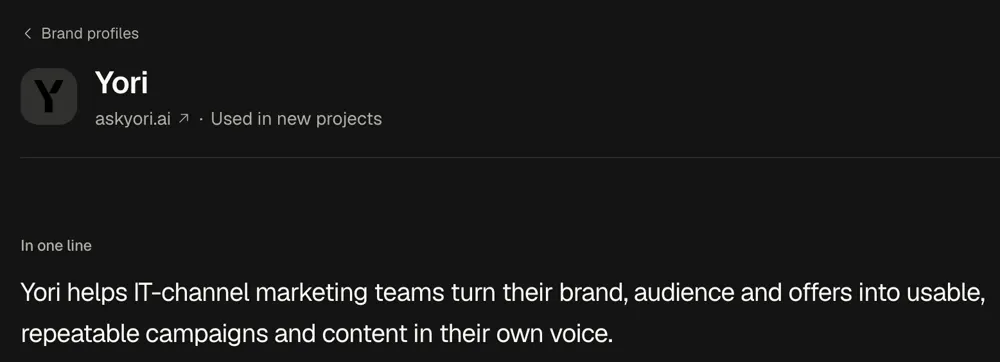
The context block, saved once. This is Yori's own Brand Profile, picked for every new project.
Instead of pasting a prompt, choose a Service such as Newsletter, Social Post, Email Sequence or Case Study. Yori asks its questions, gathers your material and drafts in Canvas, with the result saved in the project. It still needs your approved outcomes and ticket themes, and you still check every draft before it goes out. An Automation runs a task on a schedule and leaves its result in a project chat, so set one to draft next month's newsletter on the first Monday. Automations are private to the person who sets them up, and each run uses credits.
Every reply shows the credits it used. The free trial includes 25 one-time credits, needs no card, and the credits expire after one month. Pro costs £49 a month and includes 25 monthly credits and up to 3 Personal Services per user. Extra credits cost £1 each. Business costs £129 a month with the same 25 monthly credits, and adds unlimited Personal Services, Organisation Services, Workspace Rules and shared Brand Profiles. Prices exclude VAT, and every plan has unlimited users, so you don't pay per seat. See Yori pricing for the full list.
To try it, set up your Brand Profile from your website, then run the Newsletter Service on next month's client newsletter.
Frequently asked questions
Is it safe to use ChatGPT for MSP marketing?
Treat personal or client-identifying information as confidential and keep it out of prompts unless you have permission and your organisation's rules allow it. See the OpenAI section above for how each plan uses your data. That setting doesn't replace careful handling of client information.
Can ChatGPT write a case study for my MSP?
Yes, if you supply the evidence: the client's approval, the dates and the numbers you can prove. Use prompt 25 or 26, which tell it to use only your facts and mark gaps. Never ask it for a customer quote, result or statistic, because it will invent one.
Which ChatGPT plan should an MSP use for marketing?
If anyone will paste company or client information, use ChatGPT Business or Enterprise, because OpenAI says it doesn't use their inputs or outputs to improve its models by default. On an individual plan (Free, Plus or Pro), turn off "Improve the model for everyone" under Settings, then Data controls, before you start.
Why does ChatGPT write generic copy for my MSP?
Because a prompt without your context gets the category average. ChatGPT doesn't know which services you deliver, what your clients call them or which results you can share, so it fills those gaps with plausible generalities. Paste the context block first and give it the facts for each job.
What can an MSP use instead of ChatGPT for marketing?
Use a tool that keeps your context, so you stop pasting the same block into every chat. ChatGPT's own Projects and custom GPTs can hold some context, but you still write the brief yourself each time. A marketing assistant built for MSPs, such as Yori, stores your Brand Profile, Audiences and Rules, and its Services ask the questions a good brief needs before they draft.
Can I use these prompts in Claude or Copilot?
Yes. The prompts are plain text, so they work in any chat assistant, with the context block pasted first. Each provider has its own data rules, so check them before anyone pastes company or client information.
Written by Will Undrell
Yori is built with the marketing expertise of channel veterans with more than 25 years in the IT channel.

Do it in Yori
Use the Newsletter Service
Yori guides the brief, drafts it in your brand voice and saves it to your project.