


















Planning
Free MSP marketing plan template: a 12-month strategy built around the UK calendar
A free 12-month MSP marketing plan and strategy for 2027: fixed UK deadlines, client renewals and project dates, one owner, a budget and numbers to count.
Will Undrell17 min read

Share
Copy this 2027 marketing plan for your UK MSP, then add your clients, owner, budget and targets. It has a monthly campaign calendar, an owner's checklist and one campaign brief filled in. Three of its deadlines can't move, and the first two land in January, so start with the checks below.
Check these three before January
The PSTN switch-off is on 31 January 2027. About one million lines were still on the old analogue network on 30 October 2026, 300,000 of them in business premises, and Openreach warns that a line left after the deadline may move to a temporary emergency service that costs significantly more. Any client with an analogue line, fire or burglar alarm, or card terminal that hasn't moved needs a line audit this month and a migration order before Christmas.
Windows Server 2016's last day of extended support is 12 January 2027. Paid ESU starts the next day (Microsoft lifecycle). To get it, on-premises and hosted servers need active Software Assurance, a subscription licence such as CSP, or SPLA. Azure has its own rules. Run an RMM report for Server 2016 hosts and check each server's edition and current licence cover with your distributor, because the original purchase doesn't settle it. Wherever that cover is missing, send a migration quote before Christmas.
Some Windows 10 devices are already unpatched. Windows 10 Enterprise LTSB 2016 left support on 13 October 2026, the same day Windows 10 ESU year 1 ended. It has its own paid ESU until October 2029, so an LTSB 2016 device without it gets no updates now. Pull LTSB and LTSC devices out of your RMM report first and check each against its own dates. For Pro, Enterprise and Education in the standard programme, ESU only covers version 22H2, so list older versions separately and upgrade or replace them. Then check each 22H2 device for ESU activation, because ESU is bought a year at a time and a device covered for year 1 can have nothing for year 2.
The 12-month MSP marketing plan template
Copy it as it is, fill in the square-bracket fields and change any row that doesn't fit your client base. Each row names the work to promote that month. QBRs and renewals run beside it as account work.
1. The one-page header
MSP MARKETING PLAN 2027

Who we are marketing to this year:
[e.g. existing clients first; then prospects with 10 to 49 staff in our region]

Quarterly priorities:
Q1: [e.g. PSTN and Server 2016 migrations, then year-end IT spend reviews]
Q2: [e.g. phishing training and 2FA, then Cyber Essentials for existing clients]
Q3: [e.g. Cyber Essentials for prospects, then the Windows 10 decision]
Q4: [e.g. Windows 10 cover check and 2028 planning]

Plan owner: [name]
Hours per week: [e.g. 6]
Annual budget (cash): [your figure]

Three numbers for the quarterly review (target / actual):
1. [e.g. QBRs held]                                          [ ] / [ ]
2. [e.g. new MRR from existing clients]                      [ ] / [ ]
3. [e.g. new clients, and which campaign brought each one]   [ ] / [ ]

Profit check (year to date):
Project gross profit from campaign sales:              [ ]
Extra recurring gross profit from campaign sales:      [ ]
Marketing cost, including owner time:                  [ ]
(Record the campaign, service start date and margin beside each sale.)
2. The 12-month calendar
| Month | Work to promote (and its date or trigger) | Who it's for | What goes out | Owner | What you count |
|---|---|---|---|---|---|
| January | PSTN last call before 31 January; Server 2016 support ends 12 January (Q1 QBRs alongside) | Clients with analogue lines, alarms, card terminals or Server 2016 hosts, then prospects with the same | QBR invites; final PSTN reminder; Server 2016 migration or ESU quotes; LinkedIn post with the 31 January date | Plan owner, with account managers | QBRs booked; migrations ordered; Server 2016 hosts moved or covered |
| February | Year-end review for clients with a 31 March year end | Owners and finance leads at those clients | Email offering a 30-minute IT spend review before budgets close; licence and true-up check; client security webinar | Plan owner | Reviews booked; quotes issued before 31 March; webinar attendees |
| March | New financial year from 1 April: an IT plan for the year ahead | The same clients, plus follow-ups from Q1 QBRs | One-page IT plan per client; newsletter on what to budget for; QBR action follow-ups | Plan owner, with account managers | Plans agreed; new MRR from existing clients |
| April | Phishing and staff training (Q2 QBRs alongside) | Clients with no staff training or no two-factor authentication | QBR invites; email and LinkedIn post with the Cyber Security Breaches Survey figures (or the 2026/2027 survey, due in spring); staff session offer; 2FA check | Plan owner | Training sessions booked; 2FA rollouts agreed |
| May | Renewals for contracts due before the next quarter | Clients with contracts coming up for renewal | Renewal letters summarising tickets closed and projects delivered this year; renewal calls | Plan owner, with account managers | Renewals signed early; contracts upgraded |
| June | Cyber Essentials before a client's next tender or supplier check | Uncertified clients, starting with those that bid for public sector or larger contracts | Email with the IASME fee for their size band, your preparation price and what you handle; readiness check booking | Plan owner | Readiness checks booked; certifications started |
| July | Q3 QBRs, with Cyber Essentials status and Windows 10 device count on every agenda | All existing clients | QBR invites; one QBR slide on certification status and Windows 10 devices | Plan owner, with account managers | QBRs booked; certifications started |
| August | Cyber Essentials for a tender or customer that requires it | Prospects with 10 to 49 staff, no certificate and a known deadline | Email and LinkedIn campaign with IASME's £440 plus VAT fee, your preparation price and what you handle; one blog post | Plan owner | Enquiries; certifications sold; new clients |
| September | Replace or buy year 3 of Windows 10 ESU | Clients with Windows 10 22H2 devices on paid ESU | Device count per client from the RMM; each client's year 3 quote beside a replacement quote | Plan owner, with service desk lead | Decisions made; replacements ordered; year 3 licences bought |
| October | Windows 10 ESU year 2 ends on 12 October (Q4 QBRs alongside) | Clients with Windows 10 22H2 devices on paid ESU and no decision yet | Final reminder and phone call; QBR invites; newsletter line on how many of the client's PCs need year 3 cover after 12 October | Plan owner, with account managers | QBRs booked; devices replaced or covered |
| November | Windows 10 cover check | Clients still running Windows 10 | RMM check of 22H2 devices for year 3 ESU and recent updates; LTSB and LTSC on their own dates; replace or license each uncovered device | Plan owner, with service desk lead | Uncovered devices found and fixed |
| December | Planning for 2028 | All clients, then prospects met during 2027 | 2028 renewal calendar from the PSA; "your IT in 2028" newsletter; Windows 10 line in each affected client's 2028 budget | Plan owner | 2028 plans agreed; Q1 2028 QBRs booked |
3. The owner's monthly checklist
- [ ] Confirm this month's date and campaign still apply
- [ ] Pull upcoming renewals from the PSA and schedule renewal emails
- [ ] Pull Cyber Essentials expiry dates due in the next six weeks and send renewal reminders
- [ ] Send QBR invites (first month of each quarter)
- [ ] Ask each client who gave the QBR a good score for one introduction, and log it
- [ ] Draft, approve and schedule the campaign emails, posts and newsletter
- [ ] Brief account managers and sales on the offer and the date
- [ ] Log spend against the budget and record the month's count in the table
4. One campaign, filled in
Here is the September row written out as a brief.
Trigger: Windows 10 ESU year 2 ends on 12 October 2027
Accounts: every client with Windows 10 22H2 devices on paid ESU (RMM report, 1 September; leave out devices covered through Windows 365 or Azure)
Offer: a recommendation for each client (replace, or buy year 3 at the distributor's GBP price)
Example: year 3 at $244 a device (prices below) is $2,928 before conversion for 12 devices on Windows 10 Pro; set it against a quote for 12 replacement PCs
Deadline: decision by 25 September, so orders and licences land before 12 October
Follow-up: account manager calls each client within 3 working days of the email
Capacity: [number] device replacements the service desk can do before 12 October
Count: decisions made; devices replaced; year 3 licences bought
Why tie every row to a date or a trigger?
A date gives the email a reason to go out this week, and it gives the account manager a line for the call, such as "your Server 2016 host leaves extended support on 12 January". A trigger in your PSA, such as a renewal or a certificate expiry, does the same for each client. It also changes what you count, from posts published to line audits booked.
Take the 40-person Leeds MSP from our MDF request template, and say 30 of its 120 clients have a 31 March year end. Their finance teams set next year's IT line in the first week of March. In the second week of February a 60-seat onboarding pulls the owner on site for three days. The owner lets that week's LinkedIn posts wait and sends the review email to those 30, so the reviews happen in the last fortnight of February, before any of those budgets are set.
On 17 November 2026 we asked ChatGPT UK and Perplexity three questions each about MSP marketing plans and got five usable answers. They gave sound basics: pick a niche, ask for referrals, run quarterly reviews. Two set out a calendar, a quarterly table from ChatGPT and a Month 1, Month 2 plan from Perplexity, but none named a deadline such as the PSTN switch-off or Windows 10 ESU.
Should an MSP market to existing clients or new ones first?
In Kaseya's 2026 State of the MSP Report, a survey of more than 1,000 MSPs worldwide, 71% named winning new customers as their top challenge. So start each quarter with your existing clients, then decide how much prospecting it needs. List the renewal dates, licence true-ups, device counts and agreed projects in your PSA and RMM before you buy any prospect data. Add up what those are likely to bring, compare it with the quarter's growth target, and plan prospect activity in the same quarter for any gap.
Which other 2027 dates give an MSP ready-made campaigns?
Windows 10 ESU year 2 ends on 12 October 2027 and year 3 on 10 October 2028, according to Microsoft's ESU FAQ. Microsoft charges $61 a device for year 1 and doubles it each year, so year 3 costs $244 (checked 17 November 2026). Under volume licensing, each year has to be bought with the years before it, so a device that joins in year 3 pays $427 for all three. Windows 10 22H2 virtual machines in Windows 365, Azure Virtual Desktop and Azure get ESU at no extra cost. So can local Windows 10 22H2 devices that access a Windows 365 Cloud PC, when the user has an active Windows 365 Enterprise licence or a provisioned dedicated Flex Cloud PC. The device must be Entra joined or hybrid joined, the user must sign in on it with the same Entra account they use for the Cloud PC at least every 22 days, and the ESU check must be turned on. Confirm the cover on each device before you leave it out of a quote. Ask your distributor for the GBP price in August, so September's quotes are ready.
April has the Cyber Security Breaches Survey 2025/2026: 38% of UK businesses had phishing attacks in the previous 12 months, and only 19% had run any staff cyber security training or awareness activity in that time. Try the subject line "Phishing hit 38% of UK businesses in the 2025/2026 government survey. Were your staff ready?", then put the 19% figure in the body and offer a staff session. If a newer survey is out by April, update both figures first.
Cyber Essentials runs all year. A certificate lasts 12 months, so each certified client's renewal falls on its own date: contact each one six weeks before expiry. For clients and prospects without one, IASME's published prices (checked 18 November 2026) are £320 for micro organisations (0 to 9 staff), £440 for small (10 to 49), £500 for medium (50 to 249) and £600 for large (250 or more), all plus VAT. IASME also offers 75% off until 31 March 2027, subject to eligibility and funding. It is for UK micro, small and medium organisations that haven't held Cyber Essentials in the last four years. List those clients in January and offer it before the deadline.
How do you budget an MSP marketing plan?
Build it from the campaigns, not a percentage of revenue. Gartner's 2026 CMO Spend Survey put marketing at 7.8% of revenue in 2026, but most of its 401 CMOs work at companies with revenue over $1 billion. Pronto Marketing's 2027 guide makes the same point and suggests MSPs think in sales and marketing combined: 2% to 5% of revenue to hold steady, 8% to 10% to grow. To compare your budget with Pronto's bands, add sales salaries, commissions and sales tools to it first.
Here is how the Leeds MSP might cost its year, including the client security webinar it asked a vendor to part-fund.
- Freelance design and copy editing: £350 a month
- Email platform: £60 a month
- Promoted LinkedIn posts for the month's campaign: £250 a month
- Monthly total: £660, or £7,920 a year
- Client breakfast or printed QBR packs in the four quarter-opening months: £600 each, £2,400 in all
- Client security webinar in February: £2,000, of which £1,000 is vendor market development funds (MDF)
- Cash total: £11,320 after the MDF
- Owner time: 6 hours a week for 46 weeks, 276 hours, or £12,420 at £45 an hour
- Total with owner time: £23,740
Assume the MSP's managed services run at a 50% gross margin. This is the new MRR it needs to earn back the cost by December:
| New MRR starts in | To cover the cash cost (£11,320) | To cover the cost with owner time (£23,740) |
|---|---|---|
| January | £1,900 a month | about £4,000 a month |
| July | £3,800 a month | about £8,000 a month |
Put the figure you choose in the header as the target for new MRR.
Say September's Windows 10 campaign sells 12 replacement PCs at £150 gross profit each and a £400-a-month security service from 1 October. By December that is £2,400 of gross profit, about a fifth of the cash cost and a tenth of the full cost, so £21,340 still has to come from other campaign sales, including recurring revenue agreed at QBRs and renewals. Record ordinary renewals separately, and count a kept contract only when you can say how the campaign saved it.
For new clients, work back from the number you need to win. Say the Leeds MSP wants four new clients in 2027 and closes one in four qualified opportunities, so it needs 16. Set a target for each quarter in January and check it every month. If your sales cycle is 90 days, aim to qualify opportunities by the end of August, so they can close before the year ends with a few weeks to spare. At the June review, count the opportunities from client introductions and from January's PSTN and Server 2016 campaign to prospects. Give August's Cyber Essentials campaign its own target. If the count is behind, work back from your usual sales cycle to when extra prospect campaigns, such as paid search, outbound or events, must start, and cost them as their own line.
Ask each vendor which campaigns qualify for MDF, how much is left at your tier and when applications close, before you pay for the Windows 10 and Cyber Essentials months yourself. MobileDemand asks for 4 weeks' notice and Pega pays only for activity it approved first (our MDF request template has the details), so ask for Q1 funds in November, and for the Windows 10 and Cyber Essentials months by June.
Who runs the plan, and how often do you review it?
One named owner, about 6 hours a week: the marketing lead, or the MD or sales lead if there is no marketing lead. Account managers run the QBRs and the service desk lead pulls device counts, but one person decides what goes out and notices in week two when it hasn't. The budget above counts only the owner's hours, so add any account manager or service desk time beyond their normal client work.
Once a month, the owner spends 30 minutes reviewing progress and spend against the checklist. Drafting, approvals and follow-up come out of the 6 hours a week in the budget. Once a quarter, put the three actuals and the profit check beside their targets and look at where each new client came from. If prospect meetings went up but wins did not, check qualification, proposals and follow-up before you change the campaign.
Before you commit a year to it, fill in the header and the next three rows, send the first QBR invites and book a 30-minute review for the end of the month. If the first campaign gets no replies, check it was delivered and followed up by phone before you change the offer.
Filling each row with something to send
The template works in any document. The slow part is the material behind each row: the plan, the emails and the newsletter that go out that month. Yori, the AI marketing assistant we make, drafts that material. Paste in the row, and its Campaign Plan Service uses the offer, audience, budget and dates you have already given, with your Brand Profile, asks only about what is missing, and drafts the plan in Canvas. The Newsletter, Email Sequence and Social Post Services draft what goes out each month.
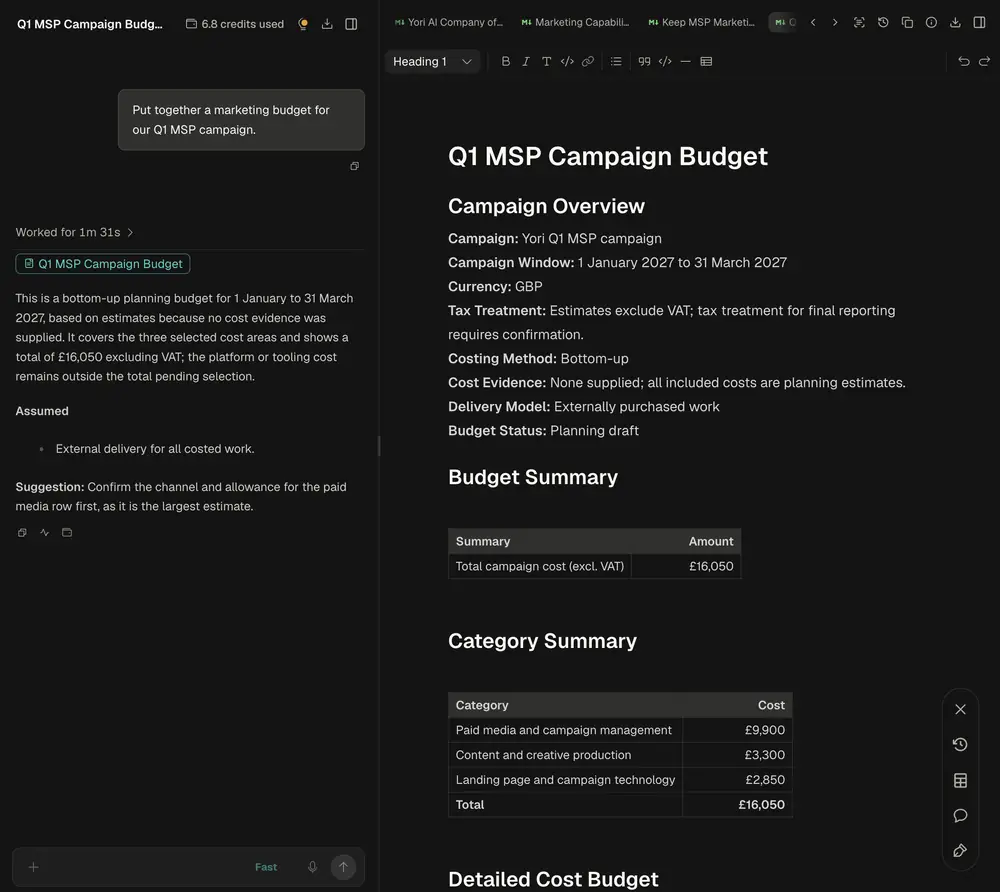
A Q1 campaign budget open in Canvas beside the chat that drafted it, with the credits used in the header.
It does not know your renewal dates or device counts, so bring those from your PSA and RMM, and you review every draft before it goes out. The free trial gives you 25 credits for one month with no card, and Pro is £49 a month ex VAT with 25 monthly credits. To try it, run the Campaign Plan Service on your Q1 row, with your list of clients who still have analogue lines to hand.
Frequently asked questions
Which clients should receive each campaign?
The ones whose records match the trigger. Pull these fields from your PSA and RMM for each client: contract renewal notice date, financial year end, Cyber Essentials expiry, analogue lines or alarms, Windows 10 and Windows Server versions, ESU status and device count. Then each campaign goes only to the clients whose fields fit it.
How much should a small MSP spend on marketing?
Start from the campaigns, not a percentage. Cost one month's campaign, multiply it out across the year, add the heavier months and subtract any vendor MDF. Then work out how much new recurring revenue and project profit would cover it, owner time included.
Our clients don't have a 31 March year end. Does the template still work?
Yes. Move the February and March rows to the two months before your clients' most common year end, and keep the content the same: a spend review before budgets close, then an IT plan for the new year. Your PSA or accounts system will show you which year ends are most common across your client base.
What happens if we miss a month?
Move that month's campaign to the next month and carry on, unless it is tied to a fixed date: the PSTN switch-off, the Server 2016 and Windows 10 deadlines, or a contract's notice date. Those can't move, so cut them down to one targeted email and a round of phone calls instead. Never skip the renewal emails or the QBR invites, because they protect revenue you already have.
Written by Will Undrell
Yori is built with the marketing expertise of channel veterans with more than 25 years in the IT channel.
Run the Campaign Plan Service
On this topic
- GuideSet up your first project
- GlossaryIdeal customer profile
- GuideGet the most from Services
- BlogMarketing for IT resellers: what works when every partner sells the same products
- BlogThe best AI marketing tools for MSPs in 2026, compared
- Blog50 ChatGPT prompts for MSP marketing (and when to use a tool instead)